
Workflows
Ownership changes, but implementation scope is unclear. Compare project notes with code to separate implemented features from unfinished requests. Leave run instructions and the next owner’s checklist.
When ownership changes, compare project notes with the actual code to create a handover the next owner can use.
When this is your problem
Notes mix requested work with completed work, so the next owner cannot tell what is implemented. Scattered setup and operational information leads to repeated questions and missed unfinished requests.
Solve it with Specify
- Prepare project notes and a versioned code snapshot in Specify.
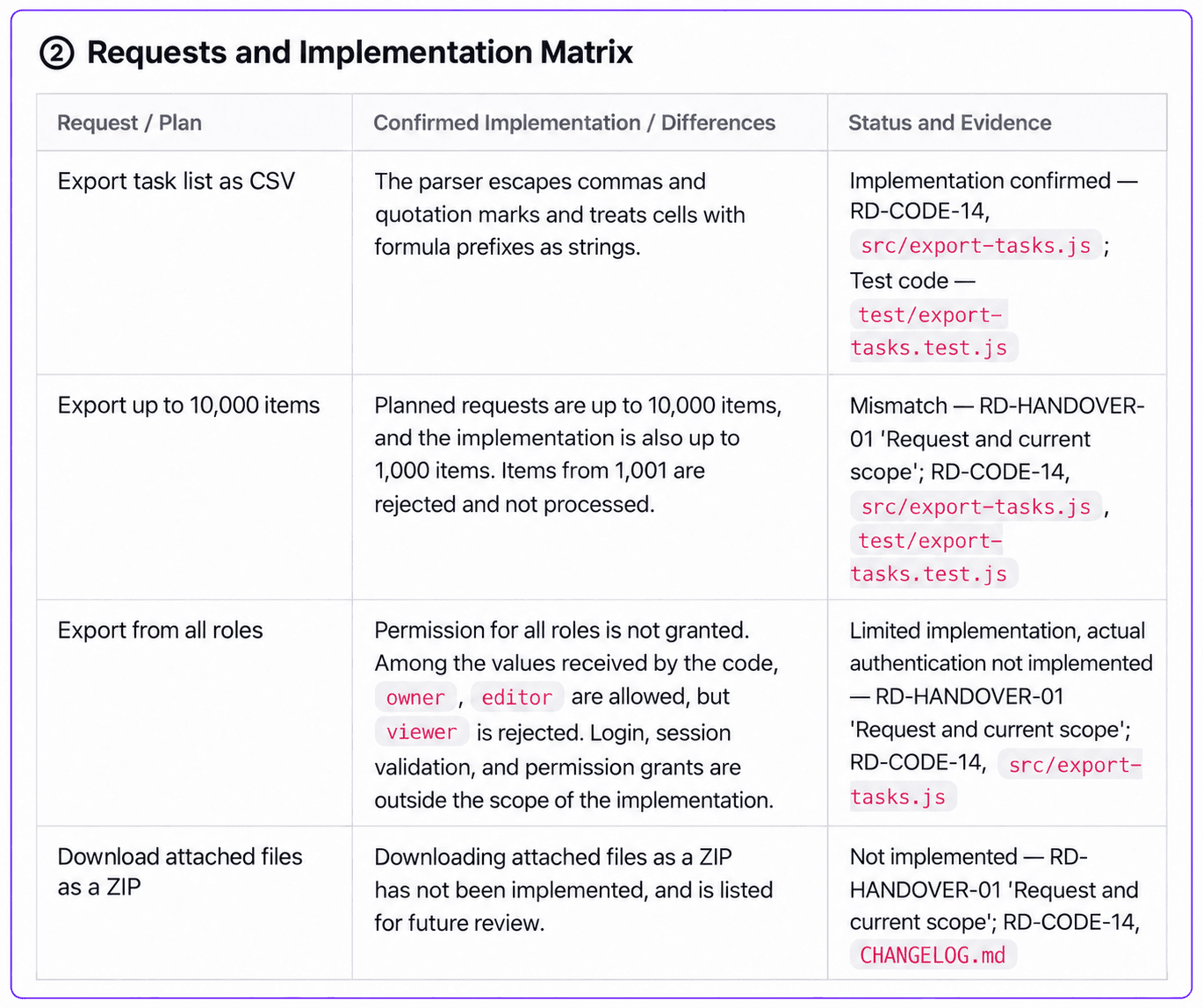
- Ask AI to compare requests with implementation and separate completed features, limits, missing work, and their evidence.
- Save run instructions and the next owner’s checklist; have an owner fill in operational facts the code cannot establish.
What you get
Create a handover document for developers, agencies, and maintenance teams. RelayDesk Demo is fictional. This example compares an uploaded code snapshot with project notes by reading their actual contents.
Prepare the materials
Download the example materials and code and upload these two documents to your workspace.
| Material | Purpose |
|---|---|
relaydesk-project-brief.md | Requests, decisions, responsible roles, and operational unknowns |
relaydesk-code-snapshot.md | A fixed copy of implementation, tests, and run commands |
A snapshot is not the live repository. Record its version, commit, and scope, and refresh it after changes. To connect a GitHub branch directly, start with a document project.
Follow the workflow
Prepare notes and code scope together
Collect the requirements notes, code copy, and setup instructions with their versions. Do not treat the example policy as proof of implemented security controls.Name the recipient in a new chat
In New Chat, identify the audience, such as a new developer or maintenance owner, and name the sources to read.Compare requests with implementation
Separate completed functionality, implementation limits, future requests, and unknowns. Require source IDs and code paths for each finding.Review setup and handover actions
After saving the document, check the commands and assign owners to operational unknowns. Test files alone do not establish completed execution or performance validation.
Read and compare RelayDesk Demo's project handover notes and code snapshot 1.4.
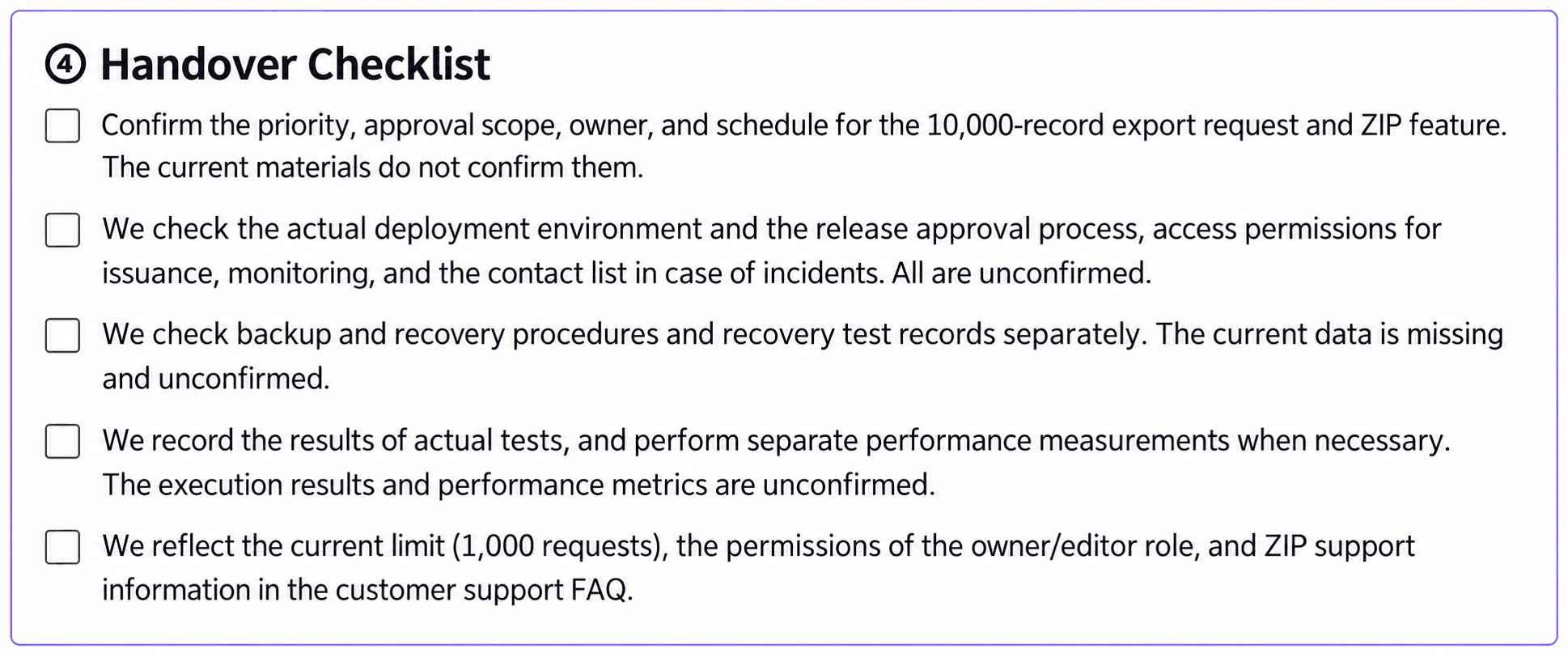
Write an overview / request-versus-implementation table / setup and verification / handover checklist.
Separate code-backed functionality and limits from planned requests and absent features.
Include source document IDs and real file paths. Mark missing deployment and operational information as unknown.
State that the code snapshot is a fixed copy; do not claim to have inspected a live repository.
Save a 'Project handover' document without changing the sources.
Differences to inspect in this example
- The requested capacity is 10,000 rows; the implementation limit is 1,000.
- Distinguish validation of a supplied role parameter from a real authentication and authorization system.
- ZIP export and actual deployment or recovery procedures are not present in this example. Do not invent dates or named operational owners.
Keep it current
Prepare updated inputs and repeat the comparison. Do not assume that every operational document is automatically updated; compare the generated draft with the team's actual handover process.