
Automation & Extensions
Install official plugins and use skills to teach the agent the procedure for recurring tasks.
A skill is the procedure and conditions of use an agent follows for a specific task. A plugin is a package that bundles several skills (along with agents, MCP servers, and event hooks), and you can install it from the official marketplace in one step.
Install a plugin
Browse the official marketplace under Settings → AI Agent → Plugins.
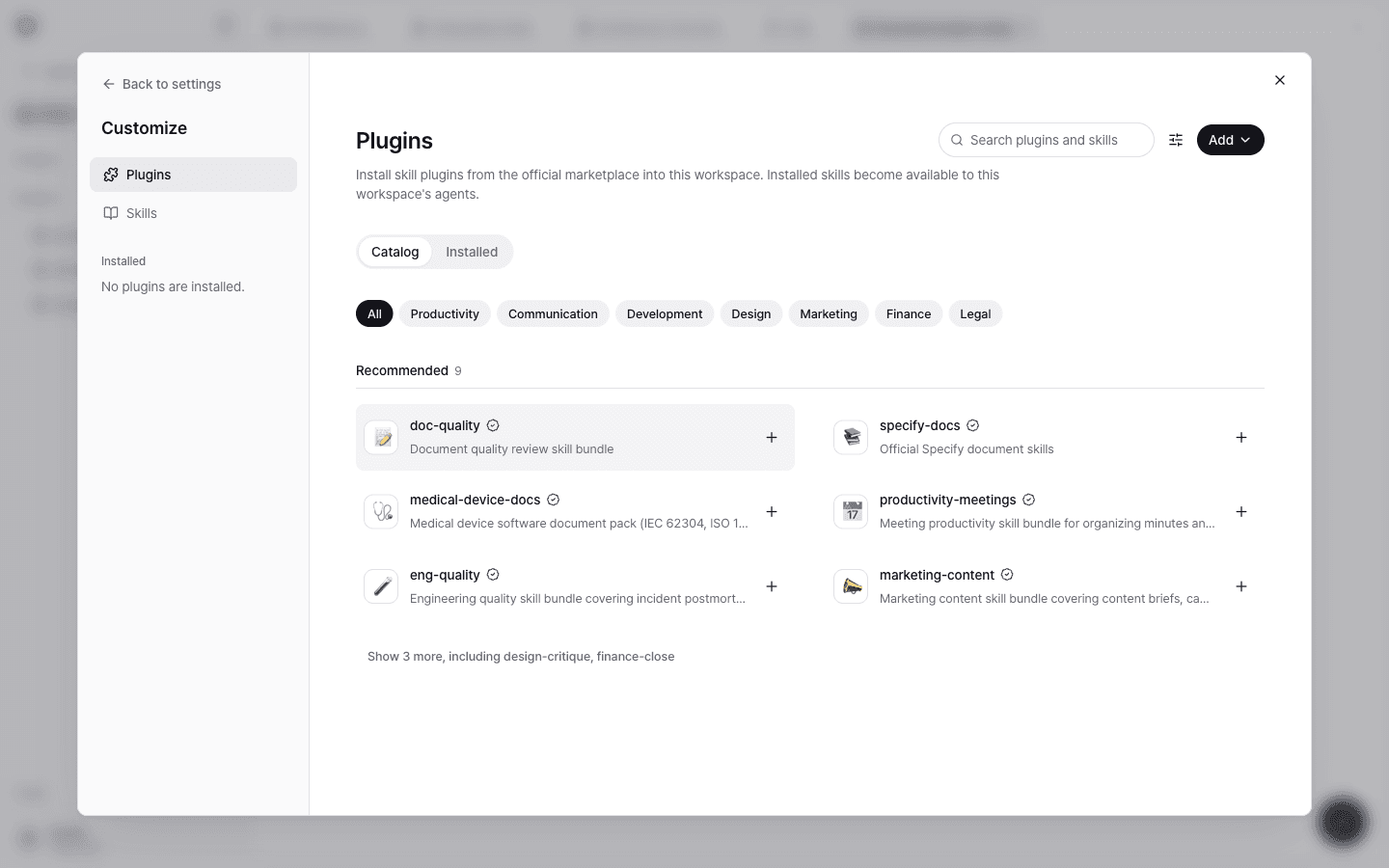
- On the Catalog tab, filter by category (Productivity, Communication, Development, Design, Marketing, Finance, Legal) or search.
- Select a plugin to review its Included components and Requested permissions.
- Select + or Install. You can find installed plugins on the Installed tab and Remove them there.
The agents in this workspace use the installed skills.
Key official plugins
| Plugin | Description |
|---|---|
| specify-docs | Official Specify document skills |
| doc-quality | Document quality review skill bundle |
| eng-quality | Engineering quality skills, such as incident postmortems and technical document quality |
| medical-device-docs | Medical device software document pack (IEC 62304, ISO 14971), grounded in code and standards |
| productivity-meetings | Meeting productivity skills, such as organizing minutes and extracting action items |
| marketing-content | Marketing content skills, such as content briefs and campaign copy |
medical-device-docs searches and cites standard clauses as it writes documents. See Standards library.
Import from GitHub
Use Add → Import GitHub repo on the Plugins page to import a plugin from a GitHub repository. Enter the GitHub repo URL and, optionally, a Branch, tag, or commit.
Manage skills
See your workspace's skills under Settings → Tools & skills → Skills.
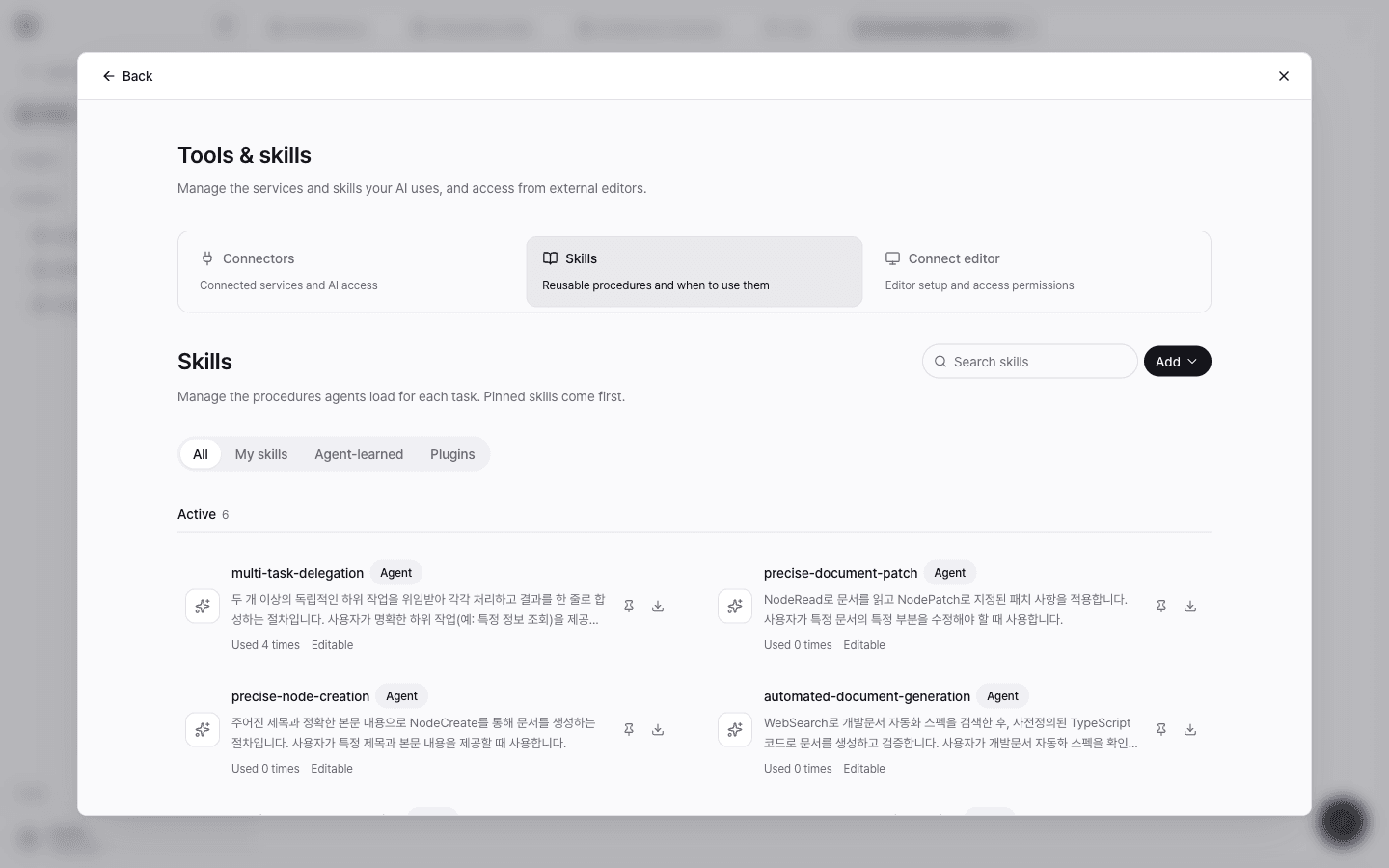
- Filter by source with the All · My skills · Agent-learned · Plugins tabs.
- Select Add to create a new skill. Write the Procedure (body) in Markdown along with a name, description, version, and tags.
- Pin skills you use often to keep them at the top of the list.
- Use Export SKILL.md to download a skill as a file.
A good skill makes it clear when to use it and in what order to work. Put the conditions of use in the description, and the steps and completion criteria in the procedure.
Agent learning
The agent automatically saves what it learns from conversations as memories and skills. Under Settings → AI Agent → Agent Learning, review Activity, Memory, Skills, and Curator history, delete memories you don't need, or roll a skill change back to an earlier version.
Use skills in document projects
The document skills you choose when you create a document project are the same skills. If no document skills are installed, you can find one in the marketplace or create your own, and you can use up to 5 auxiliary skills alongside it.