
Models
Compare the AI models available in Specify, including plan availability, context size, and cost.
Specify offers six models from the Anthropic Claude and OpenAI GPT families. Choose a model for each conversation in the chat message box, and set the default models for automations and document generation in workspace settings.
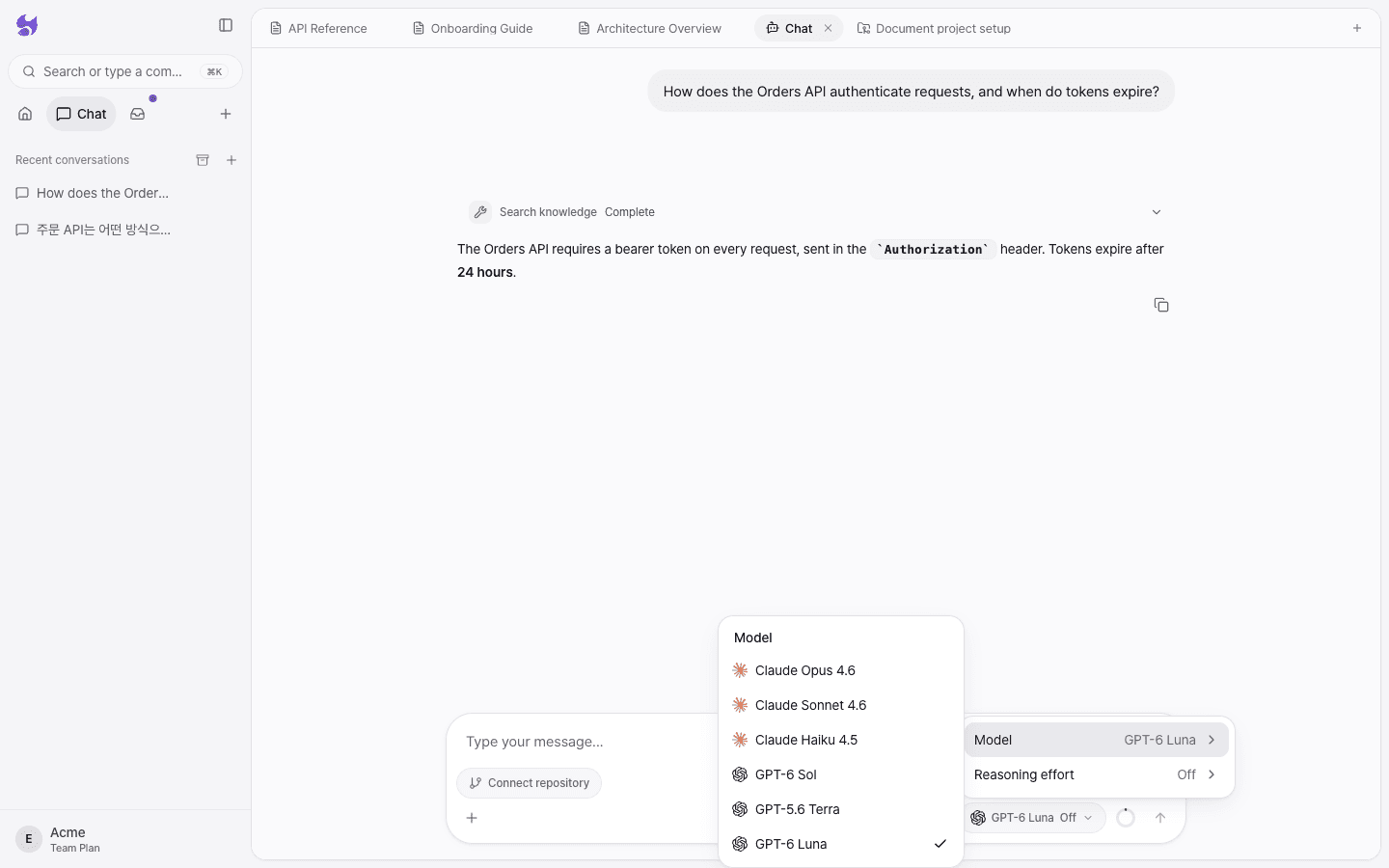
Compare models
| Model | Provider | Available on | Context | Max output | Input / output price (per 1M tokens) |
|---|---|---|---|---|---|
| Claude Opus 4.6 | Anthropic | Pro and above | 1M | 128K | $5.00 / $25.00 |
| Claude Sonnet 4.6 | Anthropic | Pro and above | 1M | 64K | $3.00 / $15.00 |
| Claude Haiku 4.5 | Anthropic | All plans, including Free | 200K | 64K | $1.00 / $5.00 |
| GPT-6 Sol | OpenAI | Pro and above | 1.05M | 128K | $2.00 / $10.00 |
| GPT-5.6 Terra | OpenAI | Pro and above | 1.05M | 128K | $2.00 / $12.00 |
| GPT-6 Luna | OpenAI | All plans, including Free | 1.05M | 128K | $0.10 / $0.50 |
- Prices are the providers' standard rates (checked September 2026). Specify deducts the actual cost calculated at these rates from your workspace AI budget. For details, see Usage and AI budget.
- Every model supports tool calls (searching knowledge, reading and writing documents, and more) and parallel tool calls.
- The default model for new conversations is GPT-6 Luna.
Model characteristics
For which model to use for each task, see Choosing a model.
Reasoning effort
Every model lets you set reasoning effort to one of six levels: Off, Low, Medium, High, Extra, or Max. Higher effort means deeper reasoning before answering, but responses are slower and use more tokens.
| Level | Minimum tokens used for reasoning |
|---|---|
| Off | No reasoning |
| Low | About 1,000 |
| Medium | About 4,000 |
| High | About 16,000 |
| Extra | About 32,000 |
| Max | About 60,000 |
On the Free plan, reasoning effort is fixed at Off. When you switch models, the current reasoning effort is adjusted to the range the new model supports.
Where to choose a model
| Location | Applies to |
|---|---|
| The model button in the chat message box | The whole current conversation. It can't be changed while a response is in progress. |
| Settings → Workspace general → Default AI Model | Automations in this workspace |
| Settings → Workspace general → Doc Generation Model | Document automation (project creation and automatic updates) |
Models that aren't available on your plan show a lock in the menu, and selecting one shows a plan upgrade prompt. Specify never silently swaps the model you requested for a different one.