
Models
How AI usage is calculated, budget warnings and top-ups, and ways to use less.
AI usage in Specify is managed as a monthly AI budget per workspace. Every task that uses AI, including chat, document generation, automations, and knowledge search, draws from the same budget.
Check your usage
See this month's usage period and AI budget usage under Settings → Plans & Billing → Usage. Usage also appears in the sidebar account menu.
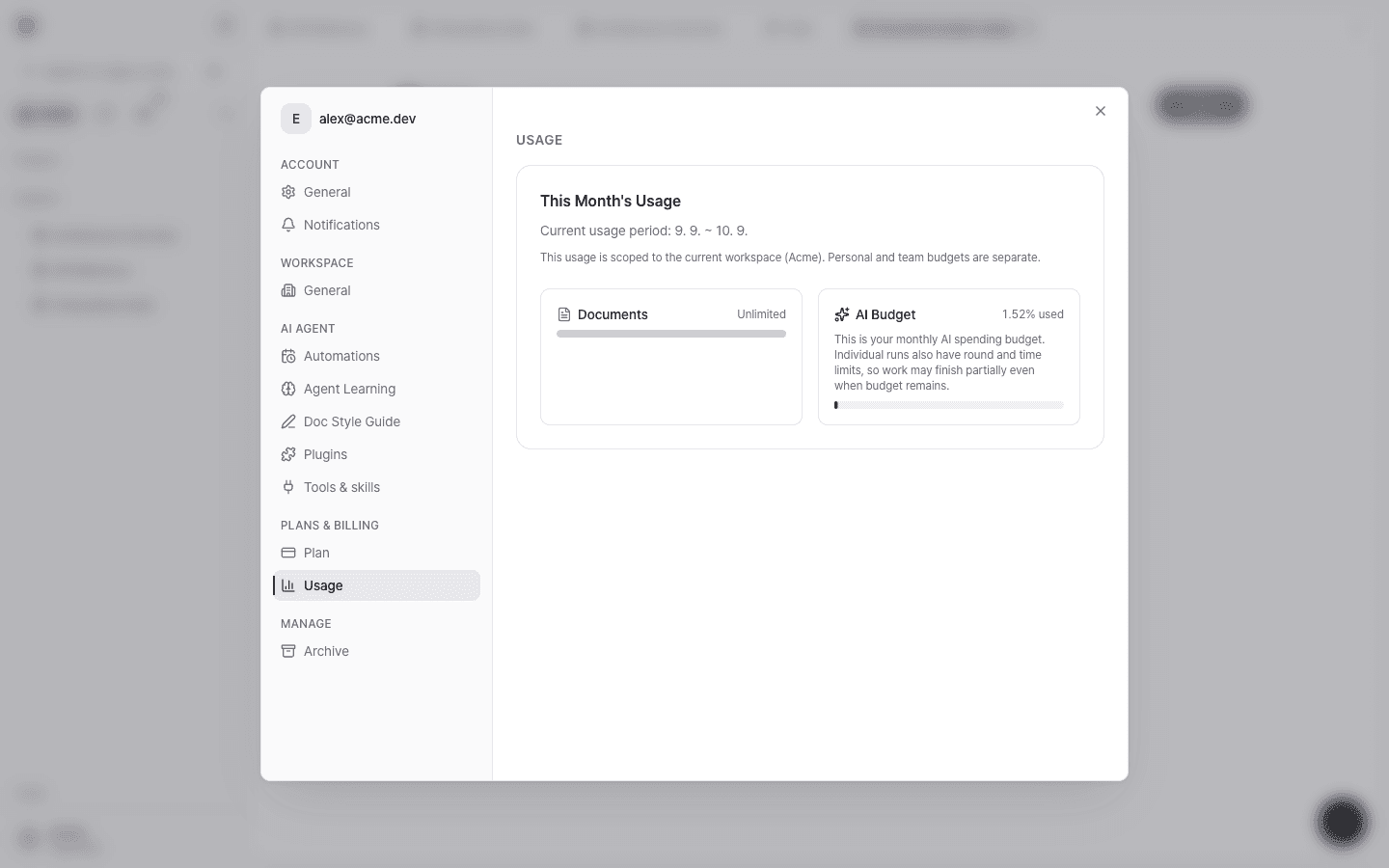
- Usage is scoped to the current workspace. Personal and team workspace budgets are separate.
- Usage resets at the end of each monthly usage period.
How usage is calculated
Each request's actual cost is calculated from the token prices of the model used and deducted from the budget. The basis is actual token usage, not credit multipliers or request counts.
- Usage grows with more expensive models, higher reasoning effort, and reading many long documents. For per-model prices, see Models overview.
- When the same content is read repeatedly, caching applies and input costs drop significantly.
- For GPT models, when a single request's input exceeds 272,000 tokens, that request's price goes up (2× for input, 1.5× for output).
- Knowledge search also uses a small amount of usage.
Budget by plan
Higher plans come with a larger monthly AI budget.
| Plan | AI usage |
|---|---|
| Free | Basic AI usage |
| Pro | More AI usage than the Free plan |
| Max | 5× the AI usage of Pro |
| Team | A shared pool where the team uses the per-seat budget together |
| Enterprise | Customized for your organization |
For exact limits and prices, see the pricing page.
Warnings and top-ups
- A warning appears when you've used 70% and 90% of the budget.
- When the budget is used up, an AI budget exhausted banner appears, and you can add usage with Top up $5. Top-up credits are deducted only after the base budget is used up.
- Even with a remaining balance, each run has round and time limits, so a task may finish only partially.
Ways to use less
- Default to GPT-6 Luna. The least expensive model is enough for search, summaries, and short questions.
- Raise reasoning effort only when needed. Low or Medium is enough for most document work.
- Narrow your questions. Specifying targets with document names or
@mentions reduces unnecessary searching and reading. - Start a new conversation instead of continuing a long one. The longer a conversation gets, the more each request has to read.
- Review automation frequency. Switch automations that don't need to run daily to a weekly schedule.