
Workflows
Release communications disagree with the FAQ. Prepare an announcement and FAQ update from change notes and existing answers. Align changed explanations with limits and conditions that remain.
After a release, compare change notes with existing explanations to update customer communications and FAQs.
When this is your problem
A feature ships while the FAQ still describes the previous version, and sales and support explain different scopes. Translating code changes into customer language can also drop limits or access rules and create more confusion.
Solve it with Specify
- Collect approved change notes, the existing FAQ, and current usage policies in Specify.
- Ask AI to separate new customer capabilities, answers that change, and limits or conditions that remain.
- Create a change summary, announcement, and FAQ update from the same evidence; compare their scope before the owner publishes.
What you get
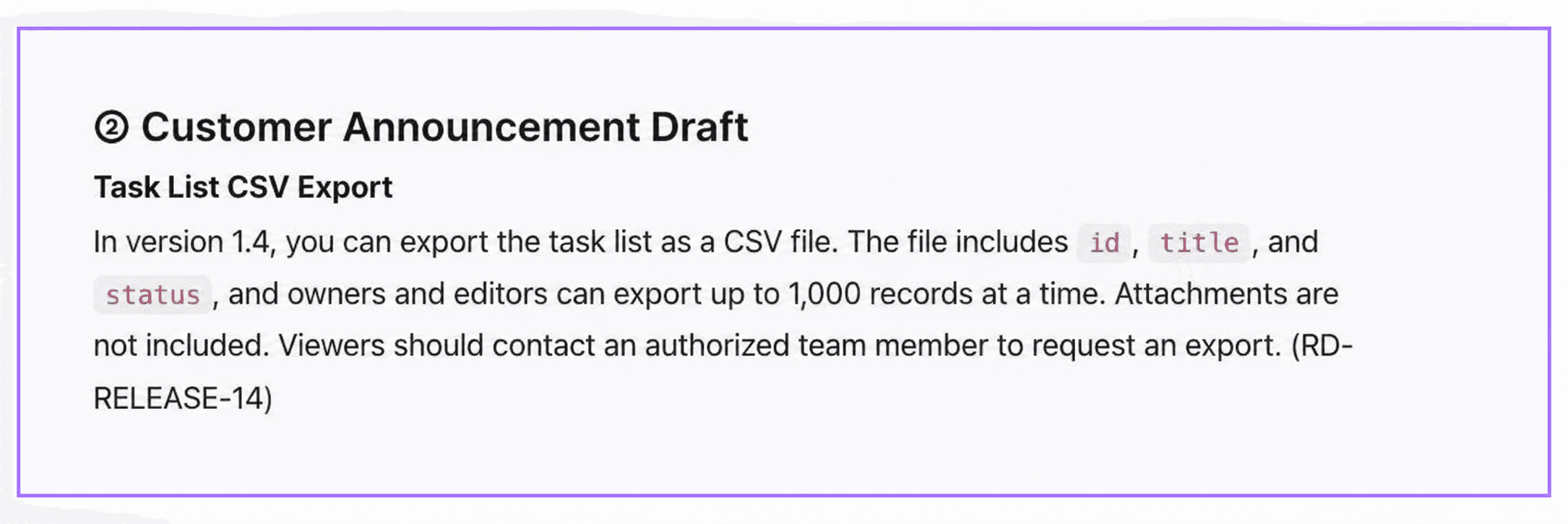
Create a change summary, customer announcement draft, and FAQ revisions for PM, support, and product marketing. The screens show actual output from fictional RelayDesk Demo materials, not a message sent to real customers.
Prepare the materials
Download the example materials and upload these sources to your workspace.
| Material | What to check |
|---|---|
relaydesk-release-brief.md | Version 1.4 scope and claims to avoid |
relaydesk-faq-before.md | Existing version 1.3 customer explanations |
relaydesk-security-current.md | Current role restrictions and SSO eligibility |
Use approved change records and product descriptions in real work. Planned functionality, internal implementation completion, and availability to customers are different states.
Follow the workflow
Prepare both new information and existing guidance
Include the FAQ to update, not just the new change record. Clearly identify versions and audiences.Define audiences and outputs in a new chat
Use New Chat to request specific outputs, such as a PM summary, customer notice, and support FAQ.Separate changed explanations from retained limits
Ask for limits, eligible roles, and unavailable features alongside changes. Do not invent menu paths or performance figures absent from the sources.Review saved drafts before distribution
Save the output as a document and verify consistent limits, roles, and scope across all three sections. Publishing and sending remain separate actions for the owner.
Read RelayDesk Demo's 1.4 change brief, existing FAQ 1.3, and current security and operations policy.
Write three sections: PM change summary / customer announcement draft / FAQ revisions.
Explain CSV export benefits together with row limits and role restrictions.
Distinguish FAQ answers that change from answers that stay the same. Include source IDs.
Do not invent menu paths, release dates, performance figures, or unavailable features.
Save 'Customer update and FAQ drafts'. Do not edit the original FAQ or send anything externally.
Differences to inspect in this example
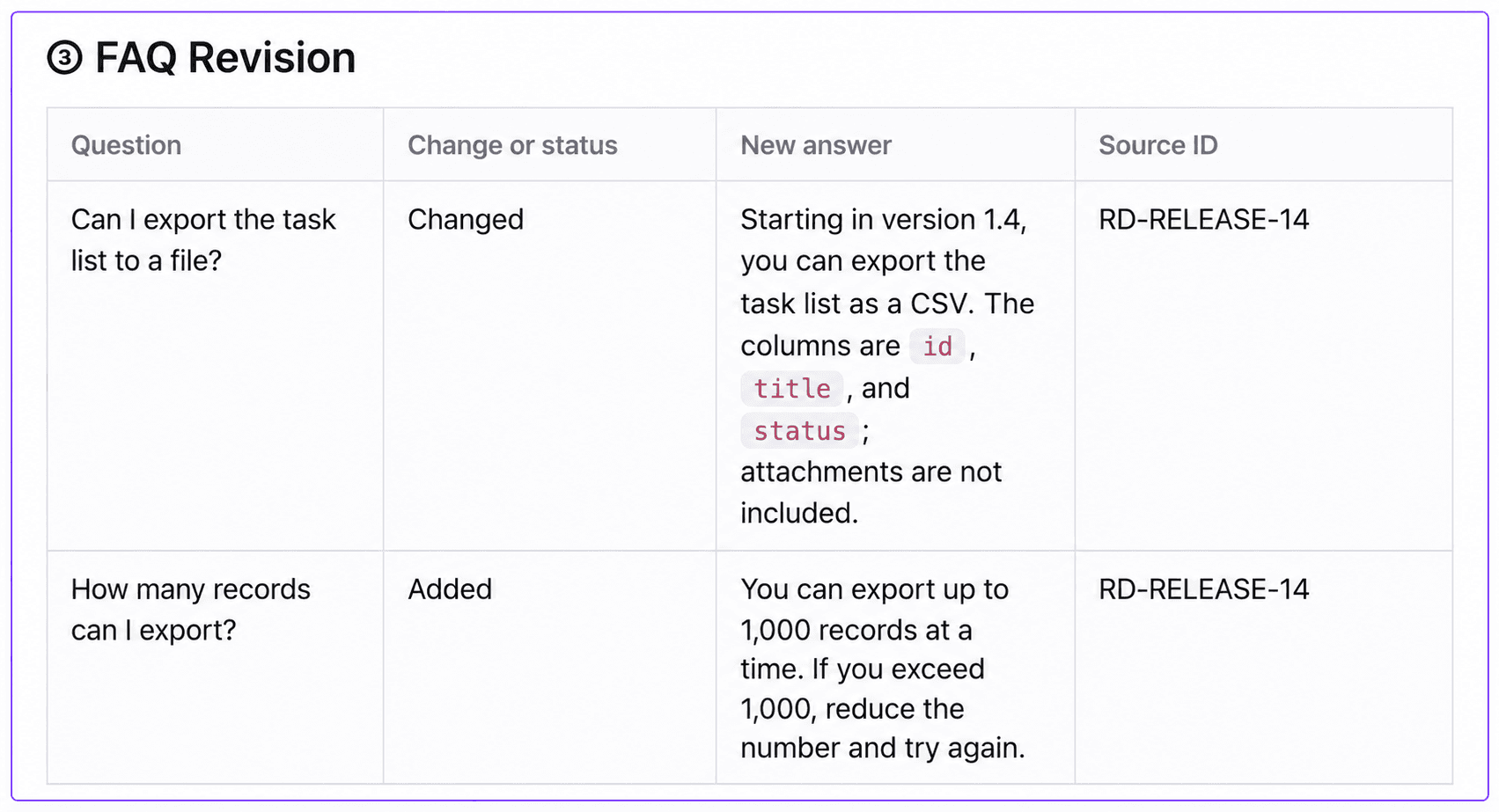
- Update the version 1.3 claim that CSV export is unavailable using the 1.4 source.
- Apply the same 1,000-row maximum and owner/editor eligibility in the notice and FAQ.
- Do not announce ZIP export, 10,000-row support, or general SSO availability as part of this change.
Reuse it for the next change
Upload the next version's change brief and request the same format. Once the workflow is established, specify the period, sources, and output document in an automation routine for recurring review.