
Workspace
Where to find account, workspace, AI agent, and billing and usage settings, and what you can change in each.
Open settings from the account menu at the bottom of the sidebar → Settings. In the settings window, choose an item from the list on the left to see its contents on the right.
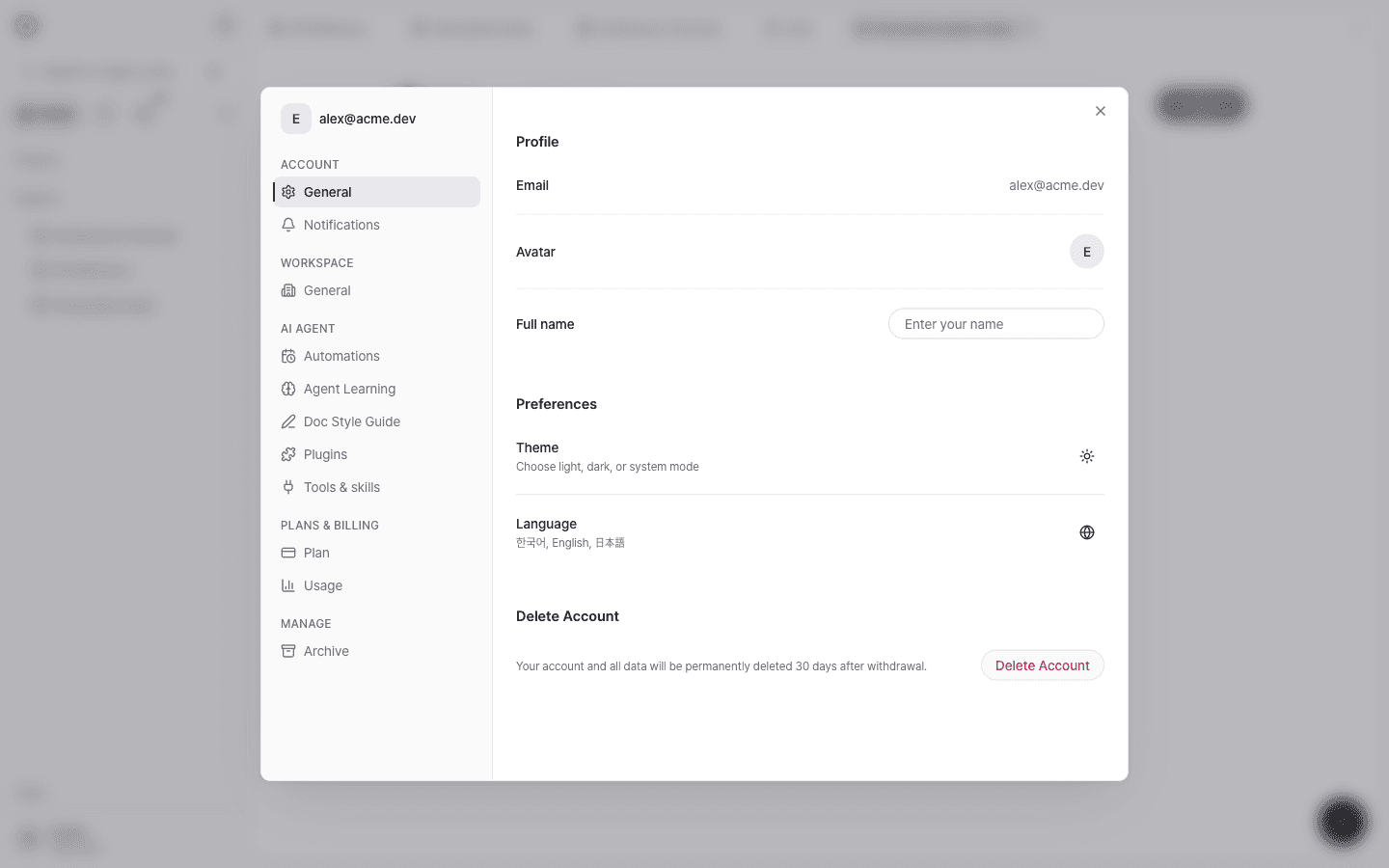
Settings items
| Group | Item | What you can do |
|---|---|---|
| Account | General | Profile (name and photo), theme and language, account deletion |
| Notifications | Notification preferences | |
| Workspace | General | Workspace name, URL, and description, default AI model, doc generation model |
| Members · Teams | Invite members and manage roles in a team workspace (Invite your team and manage roles) | |
| AI Agent | Automations | Agent tasks that run on a schedule (Automations) |
| Agent Learning | Review and delete the memories and skills the agent learned from conversations | |
| Doc Style Guide | Writing rules applied to every document in the workspace | |
| Plugins | Install official skill plugins (Plugins and skills) | |
| Tools & skills | Manage connectors, skills, and editor connections (MCP) | |
| Plans & Billing | Plan | Your current plan and billing |
| Usage | This month's document and AI budget usage (Usage and AI budget) | |
| Manage | Archive | Search, restore, and delete archived items |
The Members and Teams items appear only in team workspaces. They aren't shown in personal workspaces.
Workspace general
Set the workspace name and URL, and the model AI uses by default in this workspace.
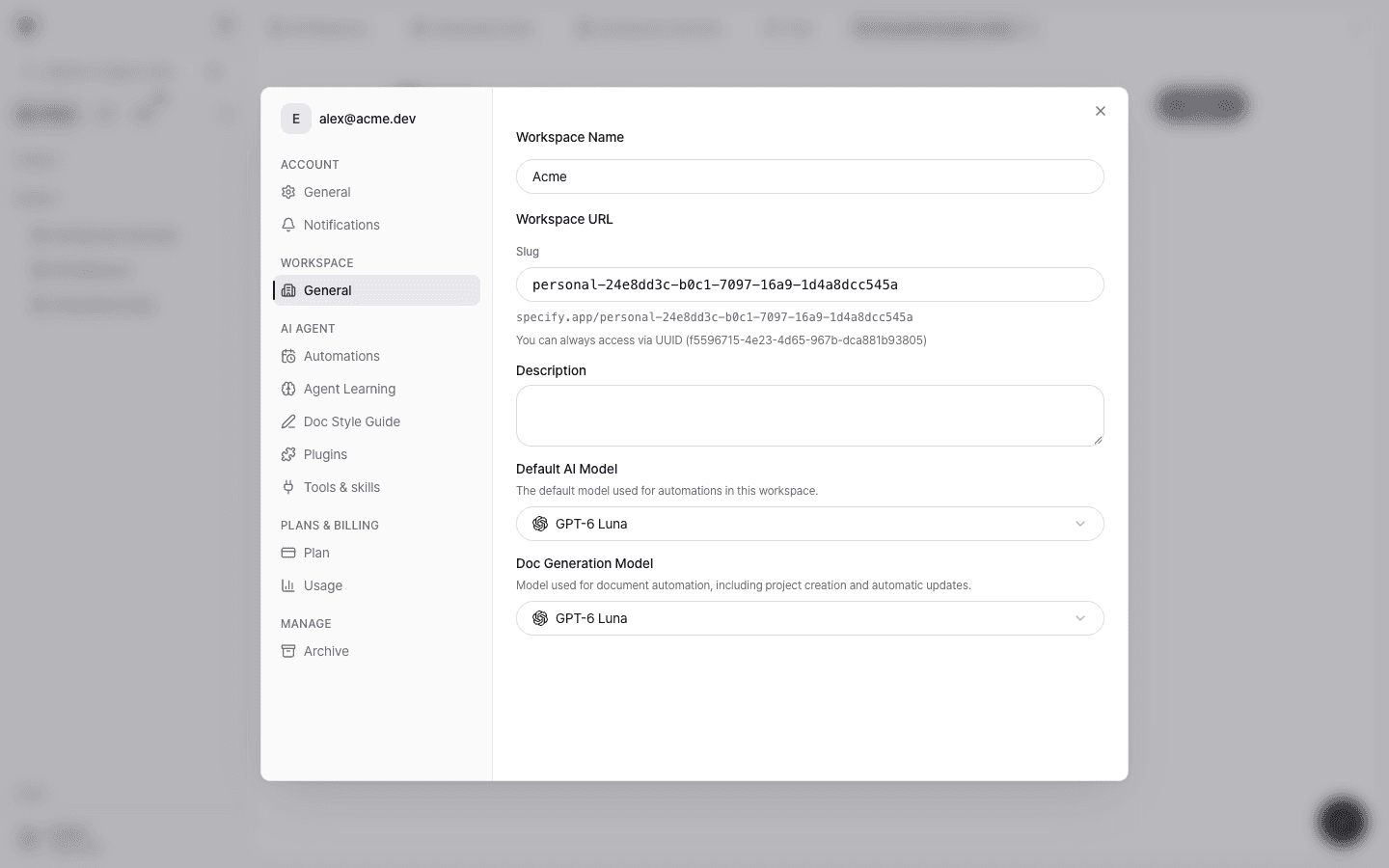
- Default AI Model: The default model used for automations in this workspace.
- Doc Generation Model: The model used for document automation (project creation and automatic updates).
- The workspace URL identifier (slug) can contain only letters, numbers, and hyphens. You can always access the workspace at its UUID address.
For help choosing a model, see Choosing a model.
Document style guide
Writing rules shared by every document the workspace generates. Write your tone, structure, and terminology rules in Markdown, and they apply starting with the next generation run.
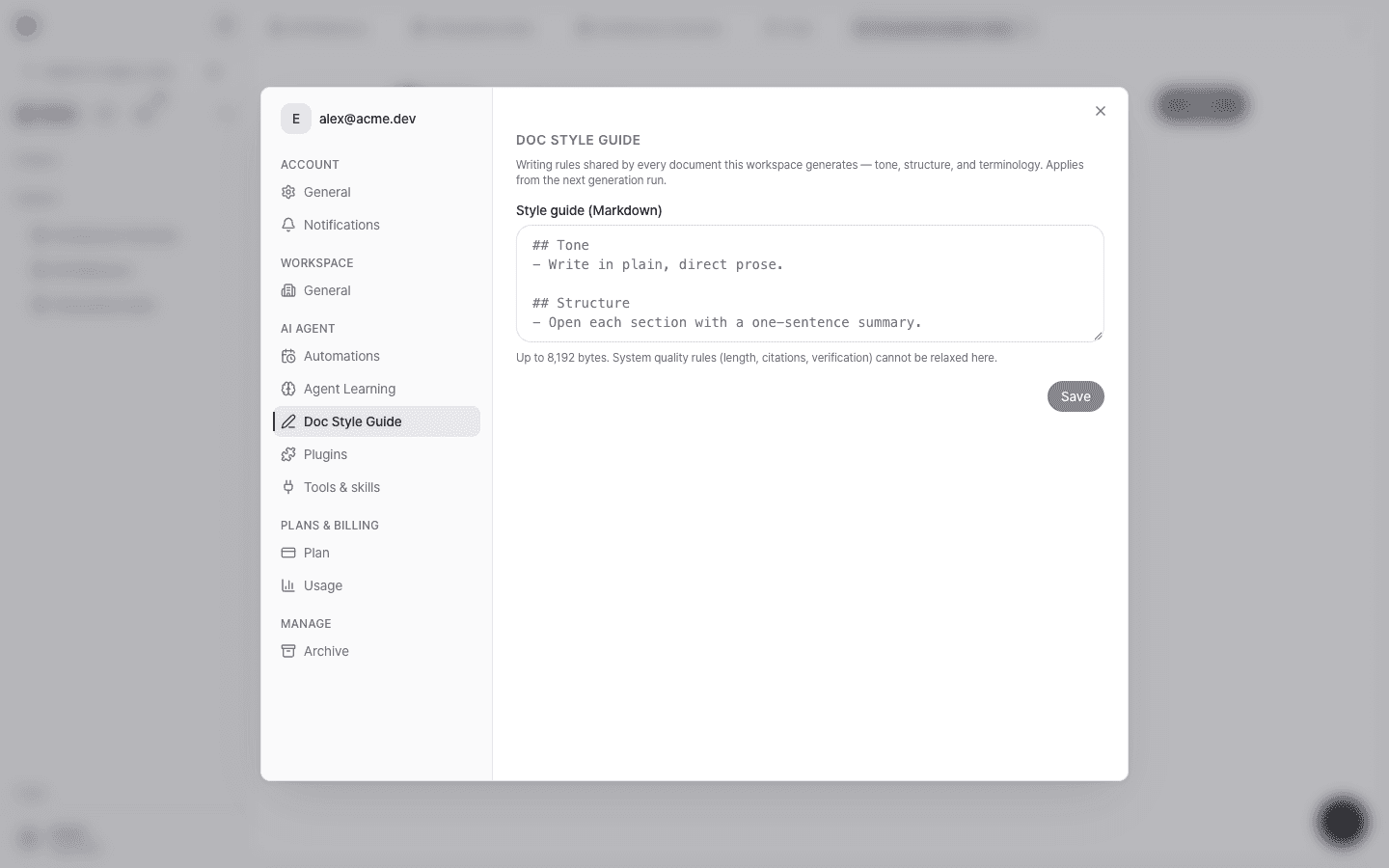
- You can enter up to 8,192 bytes.
- System quality rules such as length, citations, and verification can't be relaxed here.
- Each document project can have a more specific project style guide, and the project guide takes precedence when they conflict.
- Editor or higher permissions are required.
Usage
See this month's document count and AI budget usage. Usage is scoped to the current workspace, and personal and team workspace budgets are separate.
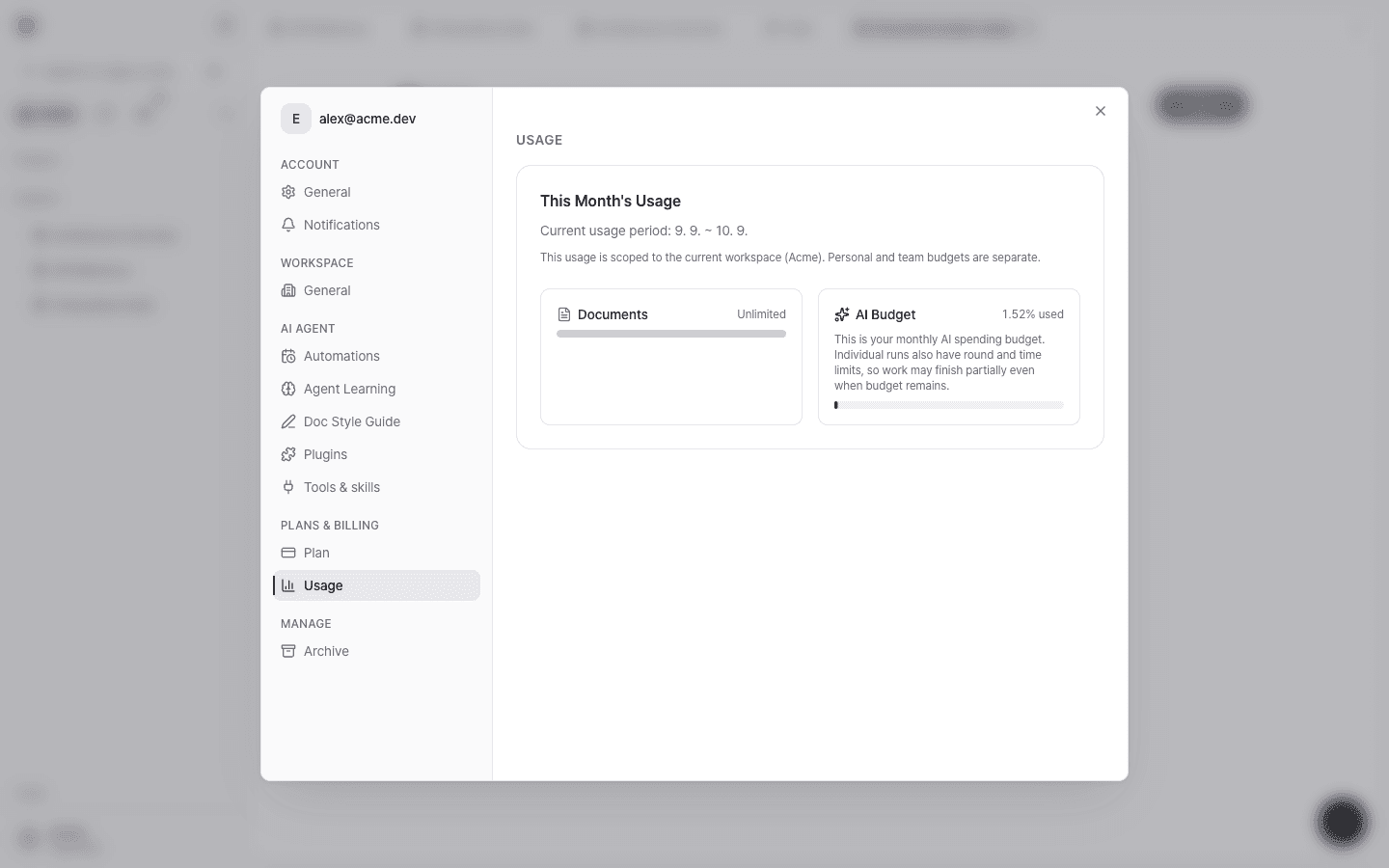
For how the AI budget is calculated, see Usage and AI budget.