
Specify MCP
MCP token scopes, how to revoke tokens, and the workspace access policies available to admins.
Agents read only what your workspace permissions allow. This page explains personal token scopes and management, and the access policies admins apply to the whole workspace.
Token scopes
| Scope | Allowed tools | Default |
|---|---|---|
mcp:read | search, read_document, browse | Always included |
mcp:write | create_document, update_document | Optional (when Allow document creation and editing is checked) |
The default is read-only. Allow write access only when the agent needs to create or edit docs. If you check Allow document creation and editing under Permissions for new connections before connecting, the token is issued with write access.
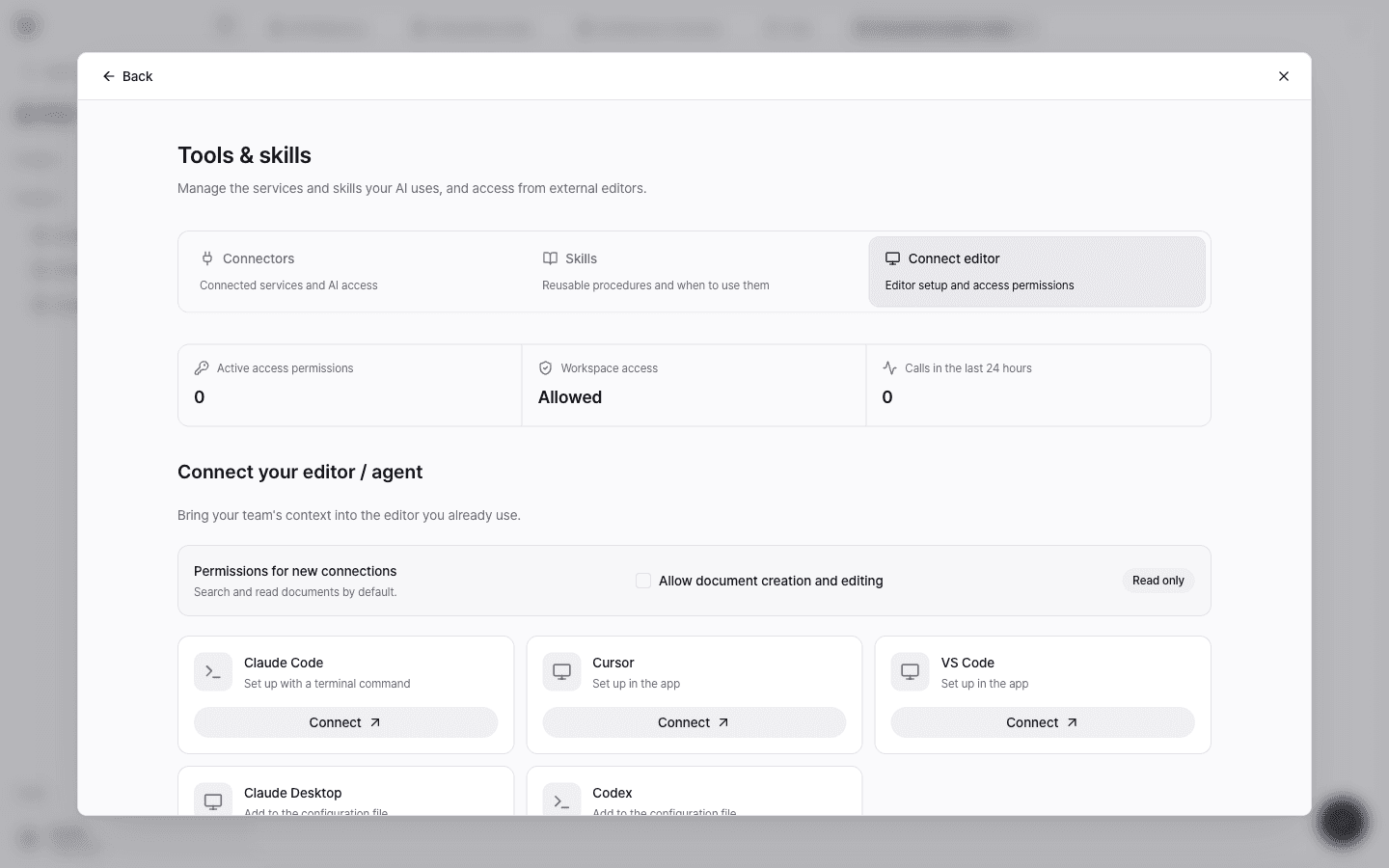
Manage your access permissions
In the Editor access list on Tools & skills → Connect editor, you can see the permissions you've issued.
- Read only / Read and write: The scope of the issued permission
- Last used: When this permission was last used for a call. If it has never been used, it shows Not used yet.
- Revoke access: Ends a permission you no longer use. Editors connected with this permission need to be set up again.
If you switch laptops or a token may have been exposed, revoke the existing permission and connect again. A revoked permission is rejected starting with the next call. You can see revoked permissions with Show N revoked permissions.
Admin access policies
Admins and owners also see the Workspace access policy on the Tools & skills → Connect editor tab, where they manage external editor access for the whole workspace.
Allow access from external editors
Turning this off blocks access from every external editor connected to this workspace. You can use it as a switch to cut off access immediately during incident response or a policy review.
Allowed operations
Decide per tool whether it's allowed: Search, Read document, Browse tree, Create document, and Update document. For example, you can allow only reads and block creating and editing. This setting applies to every editor connection, and write operations also require write access to be allowed when connecting.
Token inventory
See the owner, label, scopes, last use, and status of every token issued in the workspace. Admins can Revoke other members' tokens here, and revoking immediately cuts off access for the connected editor.
Usage
See call counts and error counts per tool for the last 24 hours.
Members can manage only their own connections. For workspace-wide access policies, contact an admin.